OpenClaw: The Open-Source AI Assistant That's Breaking the Internet
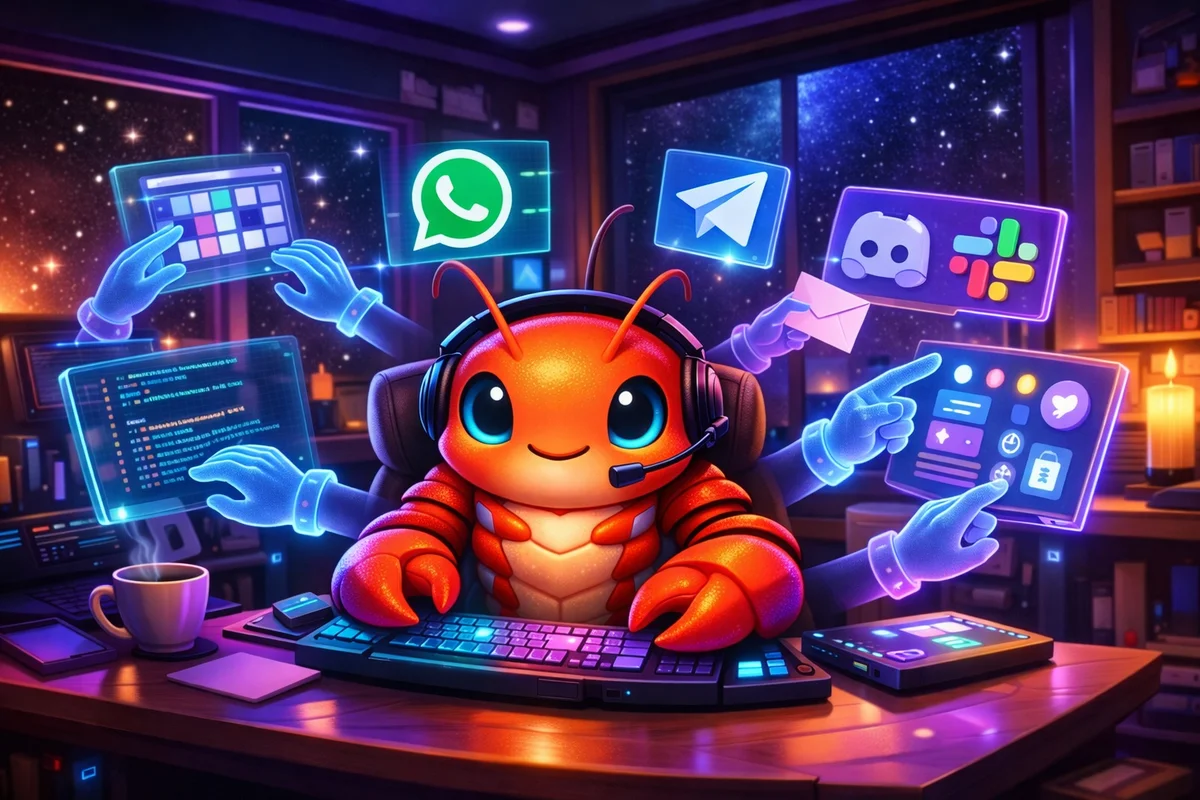
“At this point I don’t even know what to call @openclaw. It is something new. After a few weeks in with it, this is the first time I have felt like I am living in the future since the launch of ChatGPT.” — Dave Morin, @davemorin
The Lobster That Keeps Molting
In late 2025, a weekend project by Austrian software engineer Peter Steinberger quietly appeared on GitHub. By January 2026, it had become the most talked-about AI tool on the internet—racking up over 100,000 GitHub stars in just three days and drawing 2 million visitors in a single week.
The project has had quite the identity journey:
- Clawdbot (November 2025) — The original name, a playful pun on “Claude” with a claw
- Moltbot (January 2026) — Renamed after Anthropic’s legal team politely requested a change
- OpenClaw (January 2026) — The final form, with cleared trademarks and purchased domains
As the team put it: “The lobster has molted into its final form.”
But behind the memes and the adorable “space lobster” mascot lies something genuinely revolutionary: an open-source AI assistant that doesn’t just talk—it actually does things.
What Is OpenClaw?
OpenClaw is an open-source, self-hosted personal AI assistant that runs on your own hardware. Unlike ChatGPT or Claude that live in browser tabs, OpenClaw operates as an autonomous agent capable of:
- Managing your emails and calendar
- Checking you in for flights
- Controlling smart home devices
- Running shell commands
- Browsing the web and filling forms
- Executing scripts and automations
- Sending messages across platforms
And you interact with it through apps you already use: WhatsApp, Telegram, Discord, Slack, Signal, iMessage, and more.
Think of it as “Claude with hands”—an AI that doesn’t just generate text but takes action on your behalf. As one user described it:
“A smart model with eyes and hands at a desk with keyboard and mouse. You message it like a coworker and it does everything a person could do with that Mac mini.”
The Man Behind the Lobster
Peter Steinberger (@steipete) isn’t a newcomer to the tech world. He’s the founder of PSPDFKit (now Nutrient), a company he built over 13+ years before stepping back. His blog post “Claude Code is my computer” went viral, documenting how he was building his personal AI assistant.
What started as a “WhatsApp Relay” side project evolved into something far more ambitious. Steinberger describes himself as a “polyagentmorous builder” now “deep in vibe-coding mode—building AI-powered developer tools at ludicrous speed.”
The project has attracted an incredible community:
- 125,000+ GitHub stars (and counting)
- 8,900+ Discord members
- 50+ contributors
- Coverage in Wired, CNET, Axios, MacStories, and IBM Think
Even Andrej Karpathy noticed, tweeting: “Excellent reading thank you. Love oracle and Claw.”
Why OpenClaw Is Different
1. It Runs on YOUR Machine
Unlike cloud-based assistants, OpenClaw runs locally. Your data stays yours. Your memories, preferences, and context live as literal folders and Markdown files on your machine—not in some corporate database.
As one developer put it:
“Not enterprise. Not hosted. Infrastructure you control. This is what personal AI should feel like.”
2. Persistent Memory That Actually Works
OpenClaw remembers you. Not just for a session, but persistently. Your preferences, your context, your history—it becomes uniquely yours over time.
“Memory is amazing, context persists 24/7.”
3. Proactive, Not Just Reactive
This isn’t a chatbot waiting for your prompts. OpenClaw has a “heartbeat” mechanism—it can proactively reach out to you, run scheduled tasks, monitor conditions, and alert you when something important happens.
“Apparently @openclaw checks in during heartbeats!? A kinda awesome surprise! Love the proactive reaching out.”
4. Self-Improving Through Skills
Here’s where it gets wild: OpenClaw can write its own code to extend its capabilities. Users report asking for features and watching the assistant build custom “skills” on the spot.
“I wanted to automate some tasks from Todoist and claw was able to create a skill for it on its own, all within a Telegram chat.”
“I asked it to take picture of the sky whenever it’s pretty. It designed a skill and took a pic!“
5. Model Agnostic
OpenClaw works with multiple AI providers:
- Anthropic (Claude Opus 4.5, Sonnet)
- OpenAI (GPT-4, GPT-5)
- Local models (Ollama, MiniMax)
- Any OpenAI-compatible API
You bring your own API key. No subscription to OpenClaw itself—it’s free forever.
What People Are Actually Doing With It
The use cases emerging from the community are remarkable:
Personal Automation
- “Got @openclaw set up. Getting it to unsubscribe from a whole bunch of emails I don’t want.”
- “Named him Jarvis. Daily briefings, calendar checks, reminds me when to leave for pickleball based on traffic.”
- “Just told Ema, my @openclaw, via Telegram to turn off the PC (and herself, as she was running on it). Executed perfectly.”
Development & Coding
- “Autonomous Claude Code loops from my phone. ‘fix tests’ via Telegram. Runs the loop, sends progress every 5 iterations.”
- “I’m literally on my phone in a telegram chat and it’s communicating with codex cli on my computer creating detailed spec files while out on a walk with my dog.”
Health & Wellness
- “Now it fetches directly from WHOOP and gives me updates, summaries.”
- “Handing off to my @openclaw so it can handle controlling my room’s air quality according to my biomarker optimization goals.”
- “I had my OpenClaw write me custom meditations, then have automatic TTS, combining with generated ambient audio to make personalized meditations.”
Business Operations
- “It’s running my company.” — @therno
- “Managing Claude Code / Codex sessions I can kick off anywhere, autonomously running tests on my app and capturing errors through a sentry webhook then resolving them and opening PRs.”
Creative Projects
- “OpenClaw built me a simple Stumbleupon for some of my favourite articles. From my phone, while putting my baby to sleep…”
- “I asked @openclaw to make a sora2 video and make it a bit edgy. It came back 5 mins later having figured out watermark removal, api keys, and a full workflow.”
The Unexpected
- “My @openclaw accidentally started a fight with Lemonade Insurance because of a wrong interpretation of my response. After this email, they started to reinvestigate the case instead of instantly rejecting it. Thanks, AI.”
The Architecture: How It Works
OpenClaw’s architecture consists of four primary components:
┌─────────────────────────────────────────────────────────────┐│ YOUR MACHINE │├─────────────────────────────────────────────────────────────┤│ ┌─────────────┐ ┌─────────────┐ ┌─────────────┐ ││ │ GATEWAY │◄──►│ AGENT │◄──►│ SKILLS │ ││ │ (Front Door)│ │(LLM Reasoning) │ (Capabilities) ││ └──────┬──────┘ └─────────────┘ └─────────────┘ ││ │ │ ││ │ ┌─────────────┐ │ ││ └──────────►│ MEMORY │◄─────────┘ ││ │ (Markdown) │ ││ └─────────────┘ │└─────────────────────────────────────────────────────────────┘ │ ▼┌─────────────────────────────────────────────────────────────┐│ MESSAGING PLATFORMS ││ WhatsApp │ Telegram │ Discord │ Slack │ Signal │ iMessage │└─────────────────────────────────────────────────────────────┘The Gateway: A background service managing connections to messaging platforms
The Agent: The reasoning engine (powered by your chosen LLM) that interprets intent
Skills: Modular capabilities that extend what the agent can do—browser automation, file system access, calendar integration, and more
Memory: Persistent storage (Markdown files) retaining context, preferences, and conversation history
Getting Started
Installation is remarkably simple:
One-Liner Install (macOS/Linux)
curl -fsSL https://openclaw.ai/install.sh | bashNPM Install
npm i -g openclawopenclaw onboardHackable Install (For Power Users)
git clone https://github.com/openclaw/openclaw.gitcd openclaw && pnpm install && pnpm run buildpnpm run openclaw onboardThe onboarding wizard walks you through:
- Setting up the gateway
- Configuring your workspace
- Connecting messaging channels
- Enabling skills
Within 30 minutes, you can have your own AI assistant running on WhatsApp or Telegram.
The Security Conversation
Let’s be real: giving an AI agent access to your file system, shell, and messaging apps is not without risk. Steinberger is explicit in the documentation about the implications.
Known Risks
Prompt Injection: Simon Willison’s “lethal trifecta” applies here—access to private data, exposure to untrusted content, and ability to take outside actions. Hidden instructions in emails or documents could potentially influence the agent’s behavior.
Ambiguous Commands: Shell access enables powerful actions. A misinterpreted instruction could lead to unintended file deletion or system changes. (One early user asked the assistant to list files and it posted the entire directory structure into a group chat.)
Third-Party Skills: Community-built skills extend functionality but also expand the attack surface.
Mitigations
- Run on dedicated hardware: Many users are buying Mac Minis specifically for OpenClaw
- Use sandboxed mode: Limit system access until you understand the implications
- Docker/VPS deployment: Run in isolated containers
- DM pairing: Unknown senders receive pairing codes before the bot processes their messages
- DigitalOcean 1-Click Deploy: Security-hardened image available
As one Hacker News commenter noted: “Anyone installing this on their local machine is a little crazy. I have it running in Docker on a small VPS, all locked down.”
The trade-off is real: full capability requires full access. But the community consensus is that dedicated hardware or containerized deployment dramatically reduces risk.
The Bigger Picture: What OpenClaw Represents
The Death of the App
“Current level of open-source apps capabilities: does everything, connects to everything, remembers everything. It’s all collapsing into one unique personal OS—all apps, interfaces, walled gardens etc gone.”
OpenClaw hints at a future where individual apps matter less than the AI layer that orchestrates them. Why open 10 different apps when one assistant can handle everything through a single chat interface?
Open Source vs. Big Tech
“A megacorp like Anthropic or OpenAI could not build this. Literally impossible with how corpo works.”
“TLDR: open source built a better version of Siri that Apple ($3.6 trillion company) was sleeping on for years.”
IBM researchers noted that OpenClaw “challenges the hypothesis that autonomous AI agents must be vertically integrated.” It proves that powerful agents can be community-driven, not just products of massive corporations.
The SaaS Apocalypse
Federico Viticci of MacStories reported burning through 180 million Anthropic tokens and having “fewer and fewer conversations with the ‘regular’ Claude and ChatGPT apps.” He replaced a paid Zapier automation within minutes using OpenClaw.
“It will actually be the thing that nukes a ton of startups, not ChatGPT as people meme about. The fact that it’s hackable (and more importantly, self-hackable) and hostable on-prem will make sure tech like this DOMINATES conventional SaaS.”
The Morgan Stanley SaaS index was already down 15% as of mid-January 2026. OpenClaw accelerates the pessimism about traditional software business models.
The Ecosystem Growing Around OpenClaw
The project has spawned an entire ecosystem:
- ClawHub: A marketplace for bot skills and capabilities
- Moltbook: An AI agent exclusive social network (yes, really)
- Moltworker (Cloudflare): Self-hosted agent infrastructure
- DigitalOcean 1-Click Deploy: Production-ready deployment
- Peekaboo: Screenshot and GUI automation for macOS
- VibeTunnel: Remote agent control from anywhere
The community is building faster than any single company could.
What’s Next?
The trajectory is clear:
Multi-Agent Systems: Users are already running multiple OpenClaw instances concurrently. One developer reported: “I’ve enjoyed Brosef, my @openclaw so much that I needed to clone him. Brosef figured out exactly how to do it, then executed it himself so I have 3 instances running.”
Voice Integration: OpenClaw already supports ElevenLabs voice synthesis. “My @openclaw just called my phone and spoke to me with an aussie accent.”
Hardware Optimization: The Mac Mini army is growing. Dedicated AI hardware for personal agents is becoming a thing.
Enterprise Applications: While currently focused on personal use, the patterns OpenClaw establishes will inevitably influence enterprise AI agent design.
Should You Try It?
Yes, if you:
- Are comfortable with technical setup (CLI, configuration files)
- Understand the security implications
- Want full control over your AI assistant
- Are willing to experiment and possibly break things
- Have dedicated hardware or VPS available
Maybe wait if you:
- Expect a polished, consumer-ready experience
- Need enterprise-grade security guarantees
- Aren’t comfortable with command line tools
- Want to run it on your primary work machine with sensitive data
The Bottom Line
OpenClaw isn’t just another AI tool. It’s a glimpse into a different paradigm—one where AI assistants live on your terms, on your hardware, under your control.
Is it perfect? No. Is it risky? Yes. Is it the future? Almost certainly.
As one user summarized:
“After years of AI hype, I thought nothing could faze me. Then I installed @openclaw. From nervous ‘hi what can you do?’ to full throttle—design, code review, taxes, PM, content pipelines… AI as teammate, not tool. The endgame of digital employees is here.”
The lobster has molted. And it’s not going back in its shell.
The space lobster is watching. And it’s ready to help.